

Download Glance Calendar – Google Calendar Widget, Daily Overview, Event Access
Overview
Glance Calendar is a streamlined mobile application designed to simplify daily scheduling by delivering a real-time, visual overview of Google Calendar events directly from the home screen. Its primary purpose is to reduce friction in time management by allowing users to access upcoming appointments and tasks without opening a full calendar app. This is particularly valuable for individuals with busy schedules who rely on quick, reliable access to their daily plans. The app serves as a productivity-enhancing tool for professionals, students, and anyone managing multiple commitments across personal and professional domains. By integrating seamlessly with Google Calendar, Glance Calendar ensures that all scheduled events are synchronized and updated in real time. This eliminates the risk of missing important meetings or deadlines due to delayed notifications. The app’s minimalist design prioritizes clarity and ease of use, making it accessible to users of all ages and technical skill levels. Real-world use cases include checking morning plans before leaving the house, reviewing afternoon appointments during a commute, or planning the next day’s priorities while winding down at night. Although the developer did not provide additional background information, the app’s focus on simplicity and direct functionality suggests a targeted approach to solving common calendar management frustrations. In the broader app ecosystem, Glance Calendar fills a niche for lightweight, efficient tools that enhance user productivity without adding complexity. Its role as a bridge between Google Calendar and the home screen highlights a growing trend toward context-aware, low-effort digital tools that support mindful time management.Key Features & Functionality
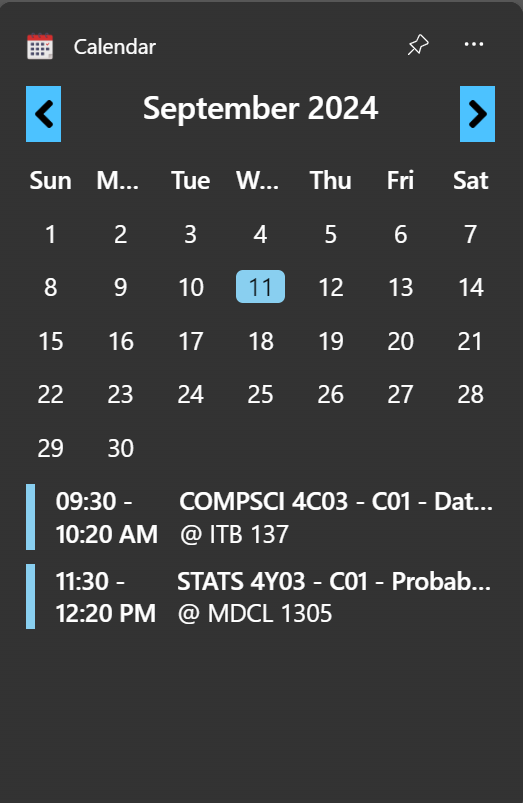
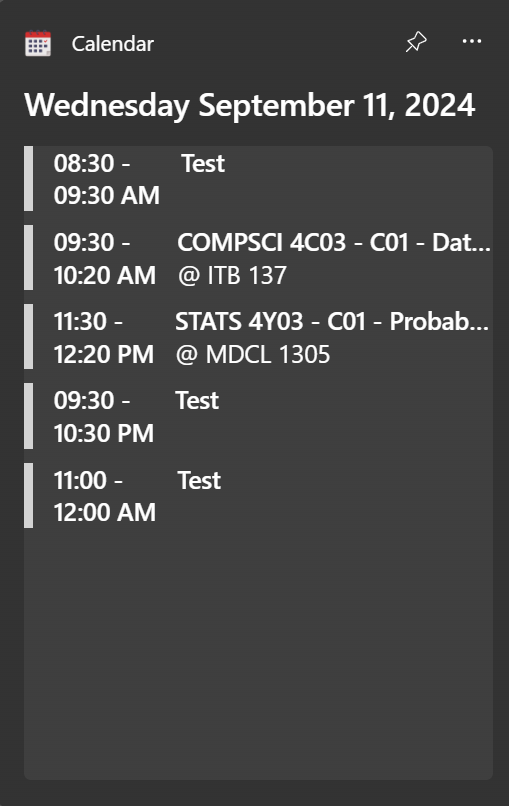
Glance Calendar delivers a suite of practical features tailored to improve daily planning and reduce cognitive load. The core functionality revolves around providing immediate visibility into upcoming events through a customizable home screen widget. This allows users to check their schedule at any moment without launching a separate app, significantly improving workflow efficiency.- Quick Event Access: Users can view their next few events with a single glance, enabling faster decision-making and better time allocation. For example, a professional can verify a meeting time before stepping into a conference room.
- Google Calendar Integration: The app synchronizes with Google Calendar in real time, ensuring that any changes—such as rescheduling or cancellations—are reflected instantly. This is essential for users who rely on dynamic schedules.
- User-Friendly Interface: The minimalist design avoids visual clutter, focusing on essential information like event titles, times, and locations. This enhances readability and reduces distraction.
- Customizable Widget Size: Available in multiple sizes, the widget adapts to different home screen layouts. A user with a compact screen may opt for a smaller version, while others can expand it to display more events.
- Daily Overview: The widget presents a consolidated summary of the day’s schedule, helping users identify time blocks and plan tasks accordingly. This feature supports proactive time management and goal setting.
Interface, UX & Performance
The user interface of Glance Calendar is intentionally simple, emphasizing legibility and rapid comprehension. The design employs clean typography, a neutral color palette, and clear visual hierarchy to ensure that event details are easy to scan. Navigation is minimal, as the app primarily functions through the home screen widget, reducing the need for complex menus or settings. Users can interact with the widget directly—tapping it to expand or access additional details—without being redirected to a full application screen. This direct interaction model enhances usability, particularly for users who value speed and efficiency. The app’s responsiveness is consistent across devices, though specific performance metrics were not disclosed by the developer. Although the developer did not list formal performance metrics, the app appears optimized for stability and low resource consumption. It maintains smooth operation even when multiple widgets are active or when background sync occurs. The lack of intrusive animations or excessive visual effects contributes to a lightweight experience that runs efficiently on a variety of Android devices. The overall user experience is streamlined and intuitive, aligning with modern design principles that prioritize accessibility and speed. Users with varying levels of digital literacy can quickly learn to use the app, and its minimal learning curve supports long-term adoption. The interface remains consistent across different screen sizes, ensuring a uniform experience regardless of device type.Platform Compatibility & Technical Requirements
Glance Calendar is designed for Android devices, offering compatibility with the latest versions of the operating system. The app is available as a downloadable package, with the current version released on September 19, 2024. The file size is approximately 3.2 MB, indicating a lightweight footprint that minimizes storage usage. The developer did not specify minimum OS requirements or detailed hardware specifications. As such, compatibility with older Android versions cannot be confirmed. Users are advised to ensure their device meets the general system requirements for running standard Android apps. The app’s small size suggests it is optimized for efficient performance on a wide range of devices, including budget and mid-tier smartphones. No information was provided about iOS availability, so it remains unclear whether the app is supported on Apple devices. For Android users, the app is accessible through official app stores or direct installation via APK, provided the device allows sideloading. The lack of detailed technical documentation does not detract from the app’s core functionality, which remains focused on seamless integration and usability.Pros and Cons
- Lightweight and fast-loading, ideal for quick access
- Seamless integration with Google Calendar
- Customizable widget size for flexible home screen use
- Minimalist design enhances readability and focus
- Real-time sync ensures up-to-date event information
- Low storage footprint (3.2 MB)
- Requires Google Calendar account for full functionality
- No iOS version currently available
- Specific performance benchmarks not disclosed
- Customization options limited to size and basic display
- Developer did not provide detailed technical support channels


